LionMachine
LionMachine is an internal AppLovin platform for managing mobile advertising campaigns. It replaced five tools used by around 50 growth managers, bringing their daily work into one place. Data came from the connected services, while managers worked with it directly in LionMachine.
- Years
- Mar — Dec 2022
- Role
- Senior Product Designer
- Scope
- User research, UX architecture, Product design, Prototyping
Challenge
Growth managers used Adjust, Meta Ads, AppLovin, Box, and Asana to manage campaigns. They had to switch between services and compare data manually, which took time and increased the risk of mistakes.
Our task was to bring that functionality into one product and adapt it to the way the managers worked. The platform needed to support both daily campaign management and detailed performance analysis.
My role
I joined early as the product designer. I researched the managers’ workflows, defined the UX architecture, and designed the flows and prototypes.
There was no dedicated product manager, so I also helped describe requirements and discuss solutions with stakeholders. I worked with the tech lead and engineers, while a UI designer who joined later helped with the UI kit and visual design.
Approach
Mobile advertising was new to me, so I spent the first month learning how growth managers worked. I joined their meetings, tried setting up campaigns, and interviewed lead managers. As this was an internal product, I had access to nearly all of its future users.
I documented their daily tasks, the information they used, and the steps they repeated. I then reviewed their existing tools alongside the managers who used them and looked at Bidalgo as a competing product. Together, we identified which features they relied on, what was missing, and what was difficult to use.
This helped us decide what LionMachine needed to include and how to organise it. Throughout the project, I reviewed and tested most design decisions with managers. We discussed what worked, what needed to change, and agreed on solutions together.
Key decisions
Keeping campaign work in one place
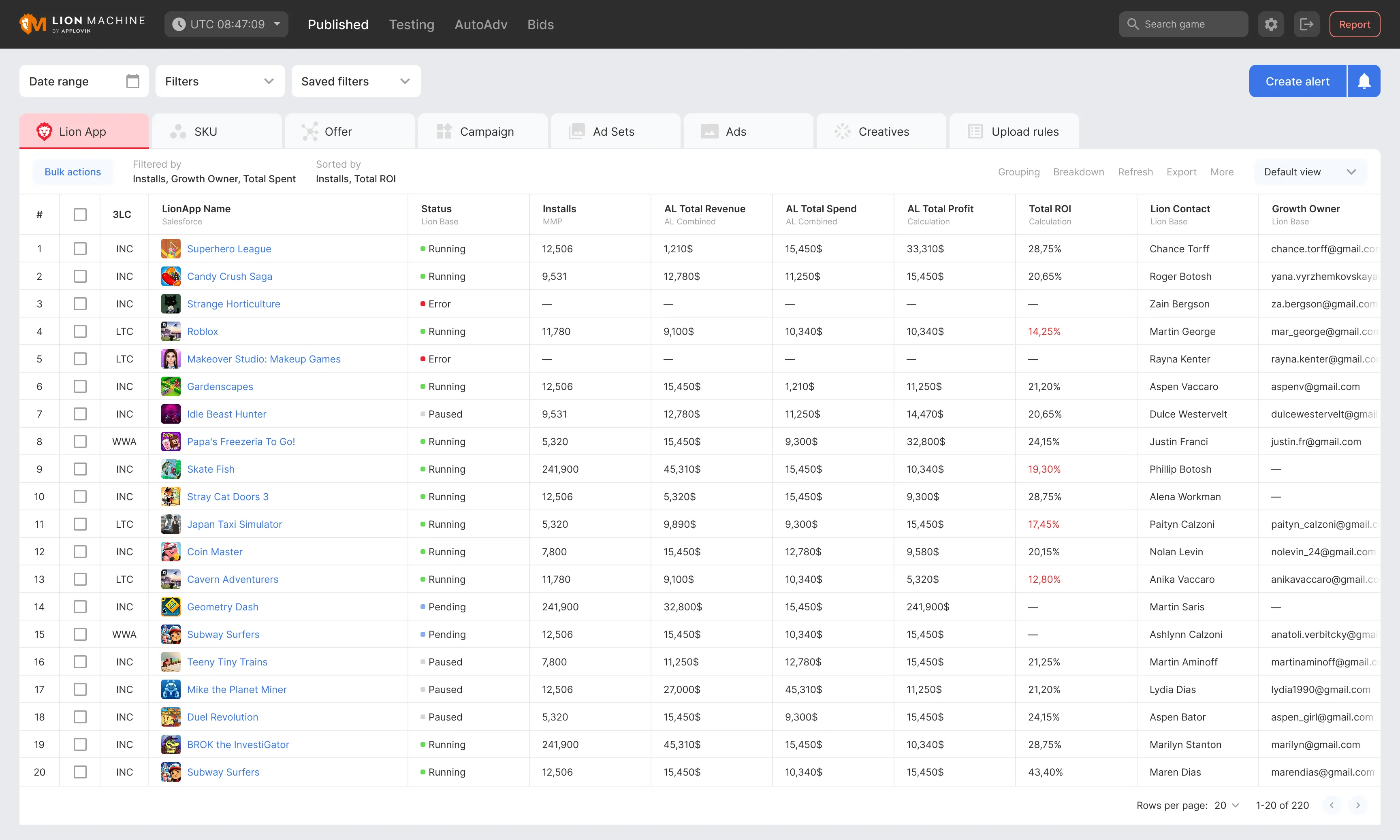
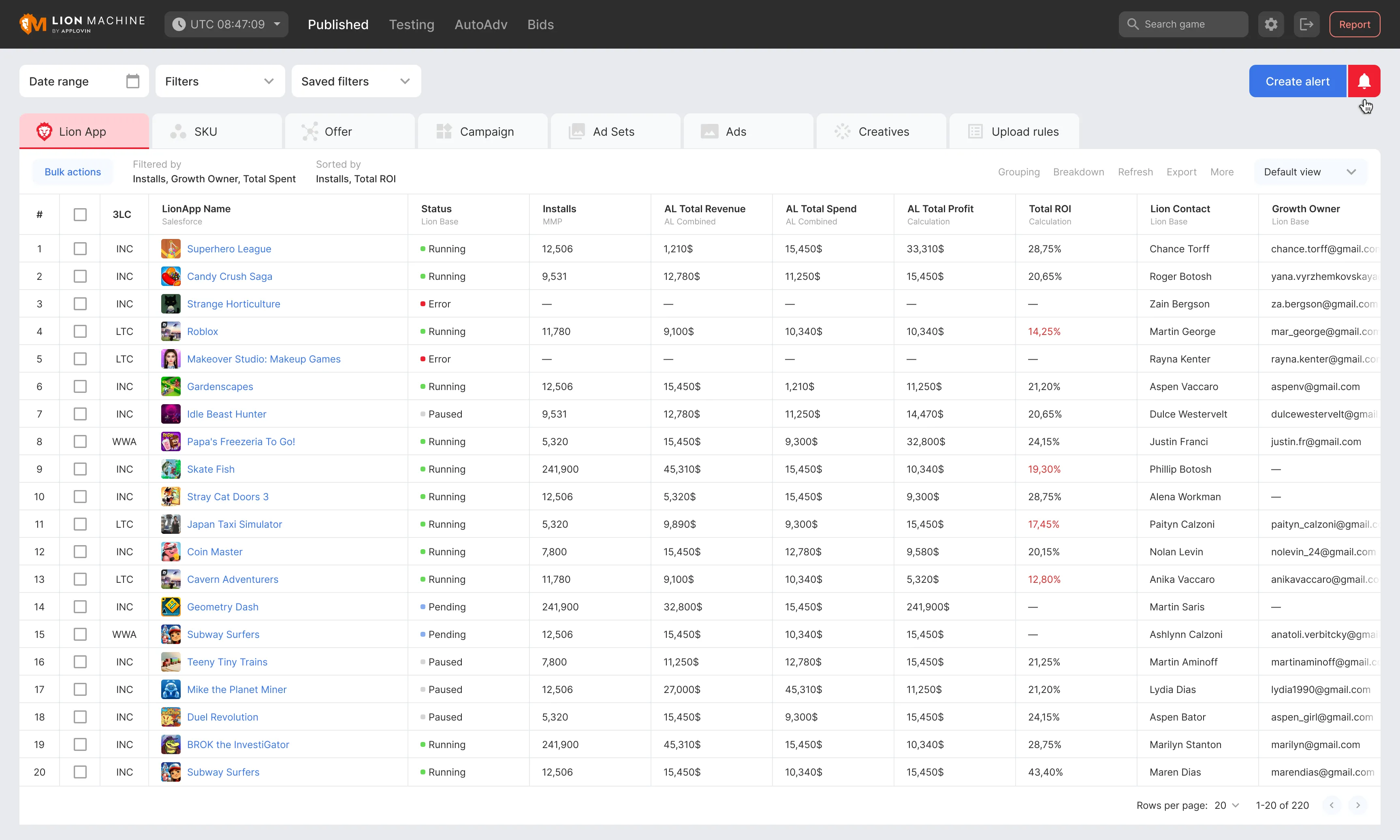
I designed the main workspace around a table where managers could compare metrics and move through the campaign hierarchy, from an app down to individual ads and creatives.
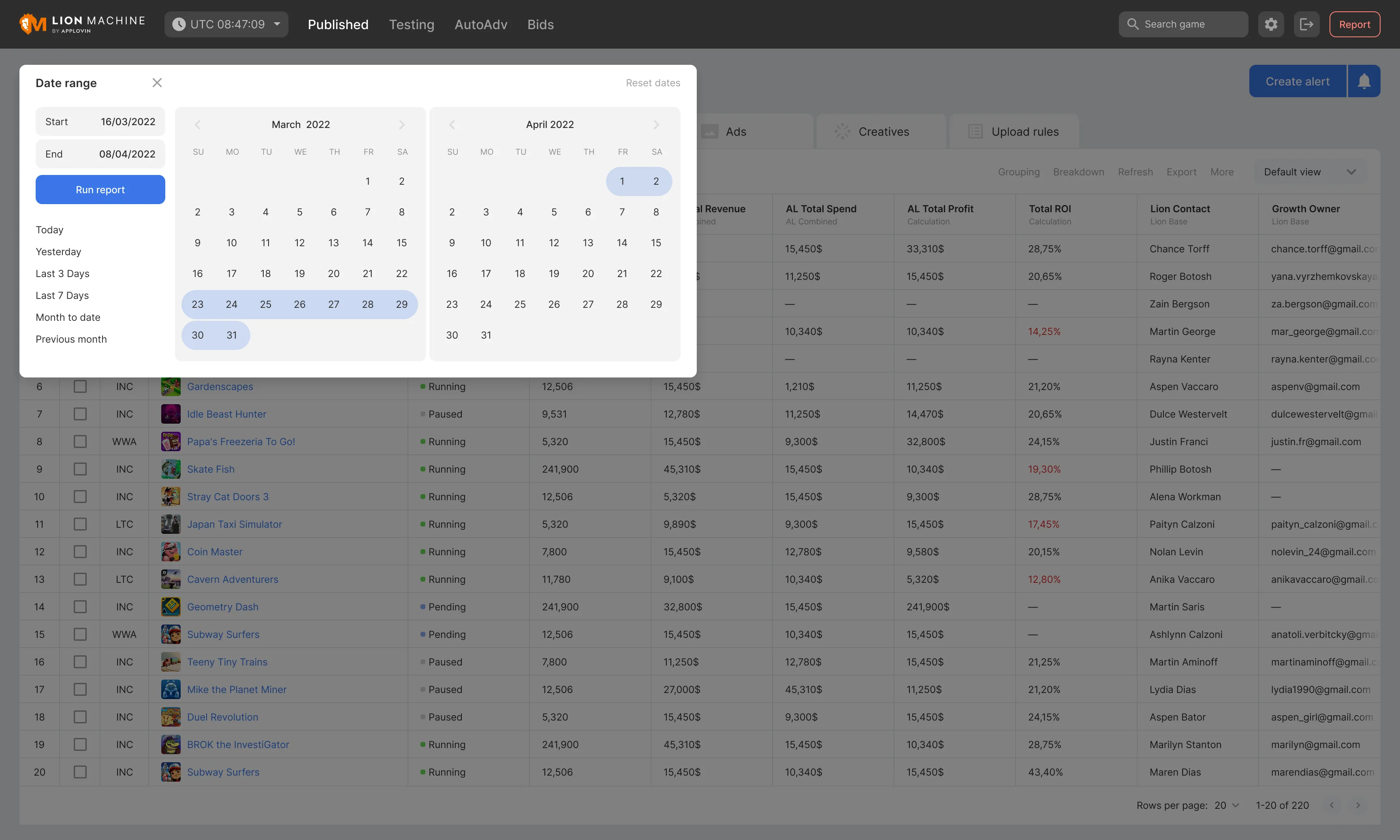
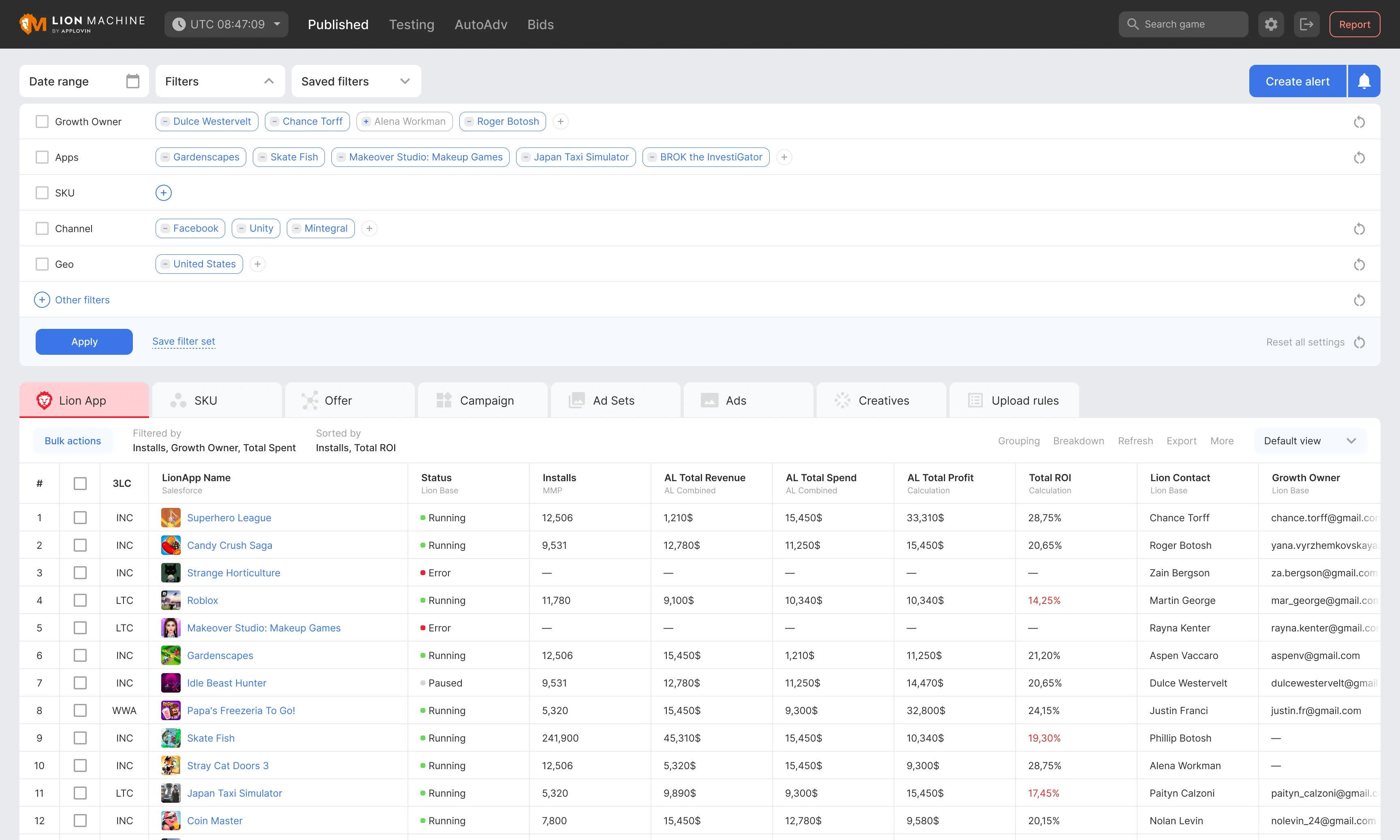
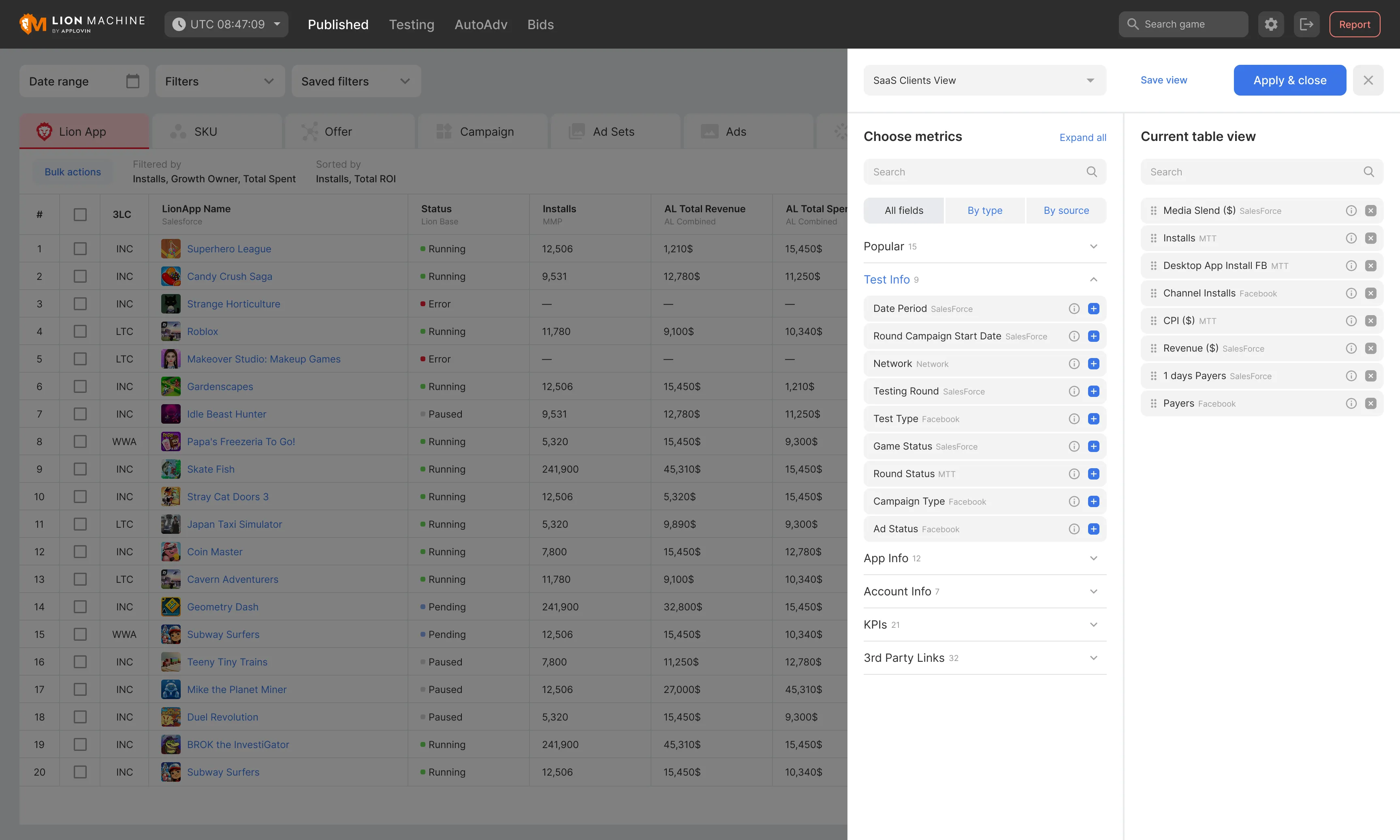
Managers could adjust columns, apply filters, and save those settings for later. This meant they could return to the views they needed without setting them up again each time. Metrics were labelled by source so it was clear where the data came from.
We used MUI as the base for the interface to make implementation easier and keep components consistent. I focused on the table structure, navigation, filters, search, and settings.
Key decisions
Finding underperforming ads with AutoAlerts
While working with managers, I noticed how much time they spent finding the ads behind a drop in campaign performance. When a metric missed its target, they had to go through the campaign hierarchy to find the ad or creative that was underperforming.
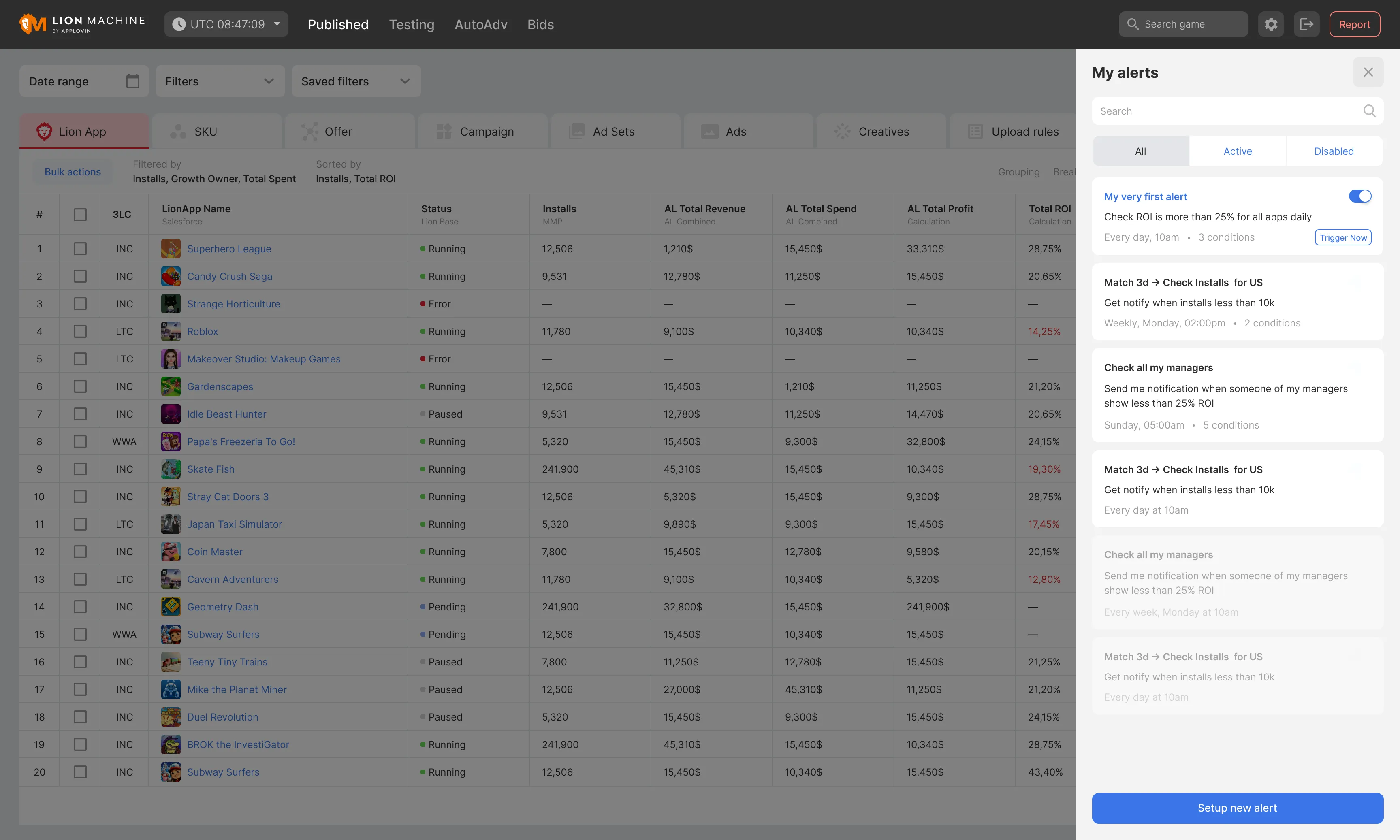
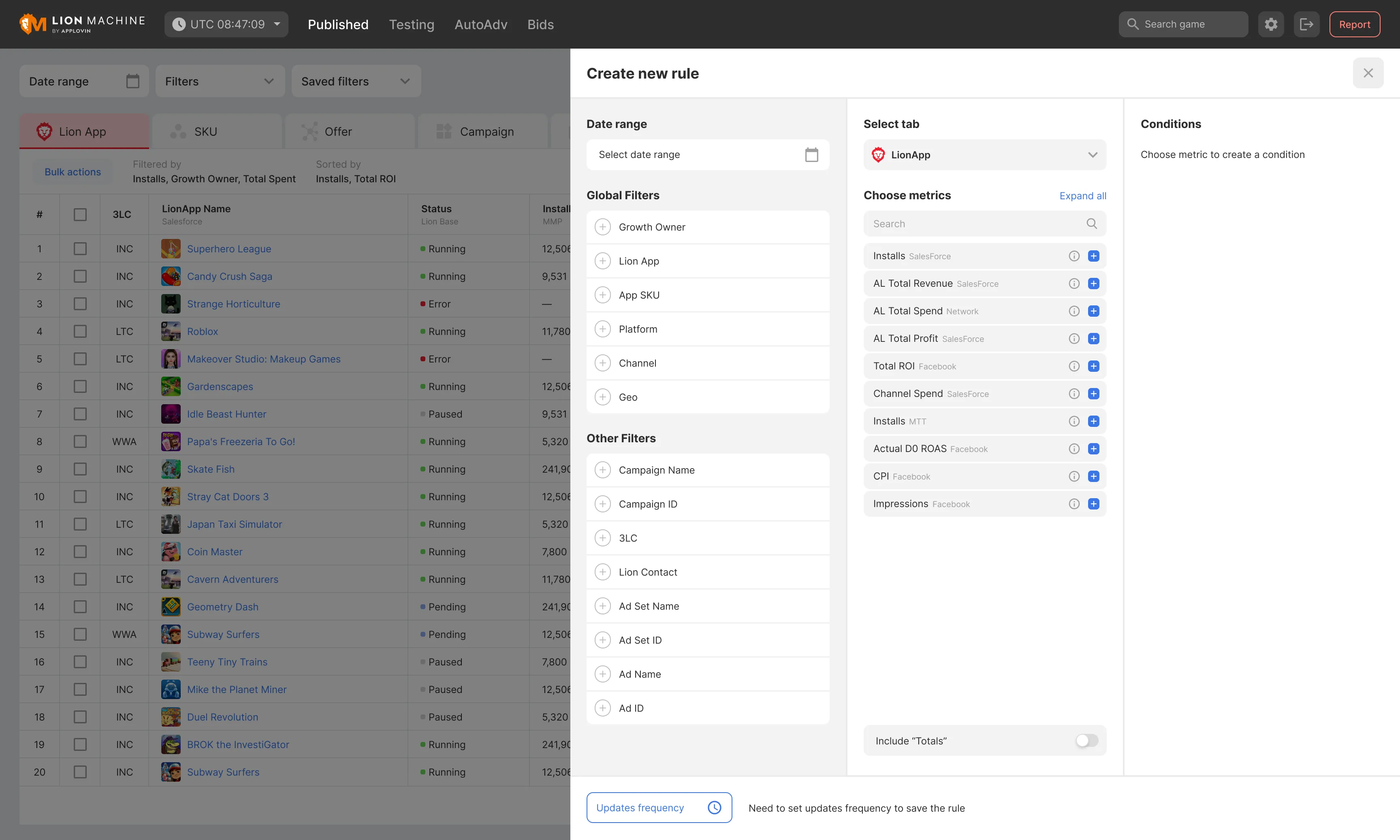
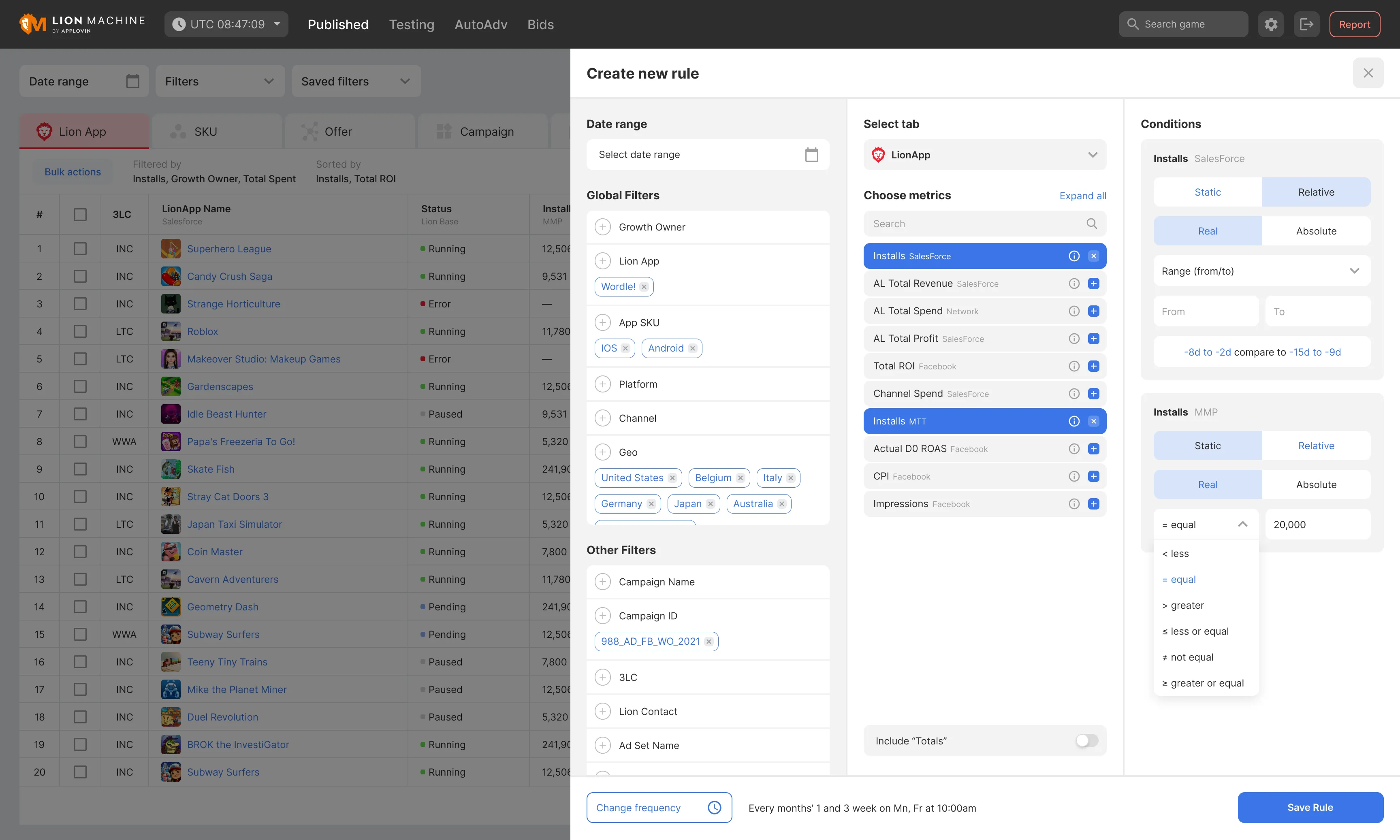
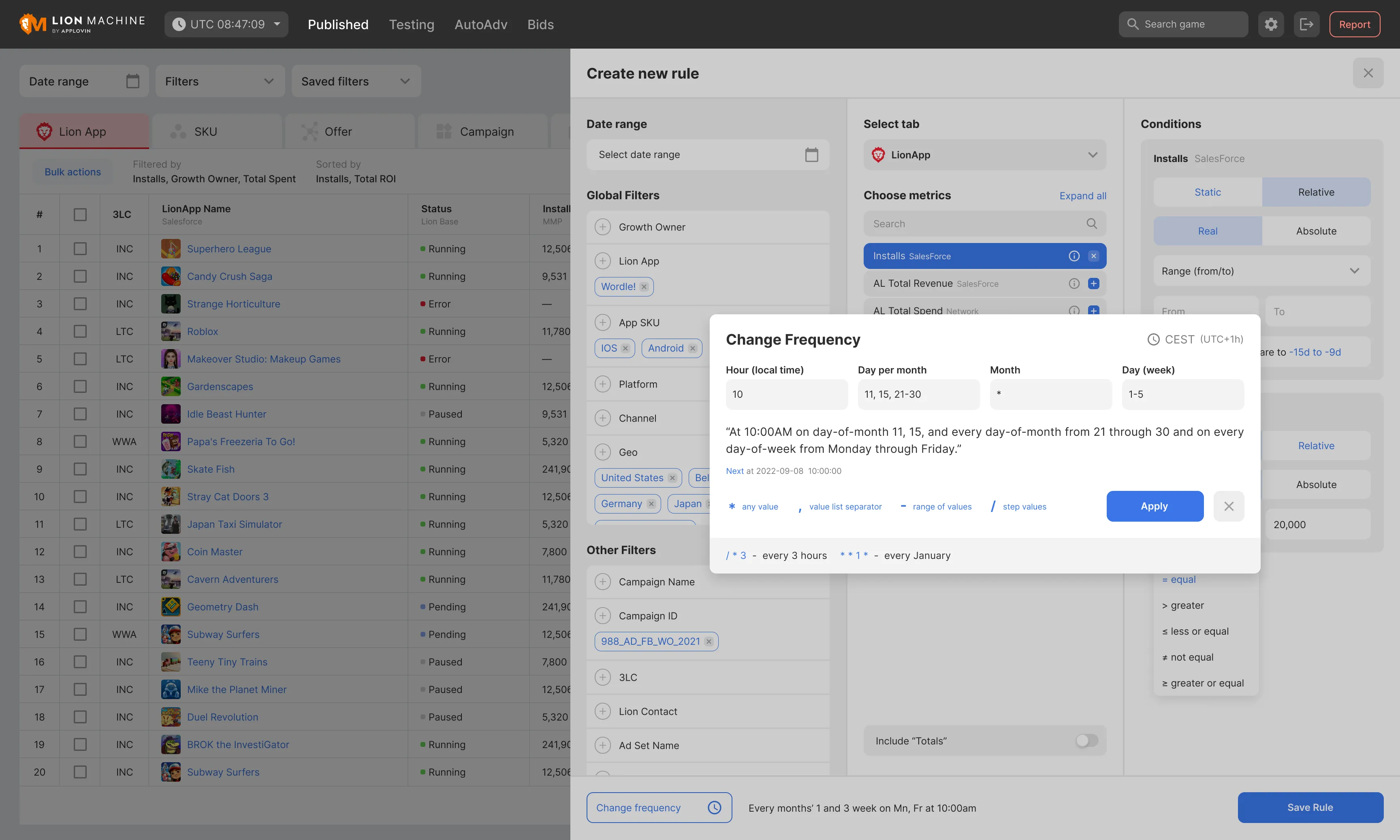
I proposed AutoAlerts to handle this search. Managers could set the metrics they wanted to track, the conditions for an alert, and how often the checks should run. The system would find the ad or creative that met those conditions and send a notification through the platform, email, or Slack.
AutoAlerts showed managers where to look. They still needed to understand why the ad was underperforming and decide what to do next.
I designed the flow and a clickable prototype, then reviewed it with managers before moving into final design, development, and testing.
Outcome
LionMachine launched and replaced the five separate tools in the managers’ daily workflow. They could manage campaigns and analyse performance in one place.
After AutoAlerts launched, managers reported saving around 2.5–3 hours per day in a team survey. They spent less time searching for underperforming ads and could focus on deciding how to improve them.